air-gapped wallets
beginner crypto storage
best hardware wallets 2026
BIP39 seed phrase
cold storage wallets
Coldcard Mk4
crypto cold storage
crypto self-custody
DeFi security
hardware wallet comparison
hardware wallet reviews
hardware wallet security
Ledger Nano X
private key storage
retirement crypto security
safest hardware wallets
Secure Element chip
Tangem wallet
Trezor Model T
wallet backup

Coinposters
Safest Hardware Wallets 2026: Cold Storage Reviews for Beginners & Retirees
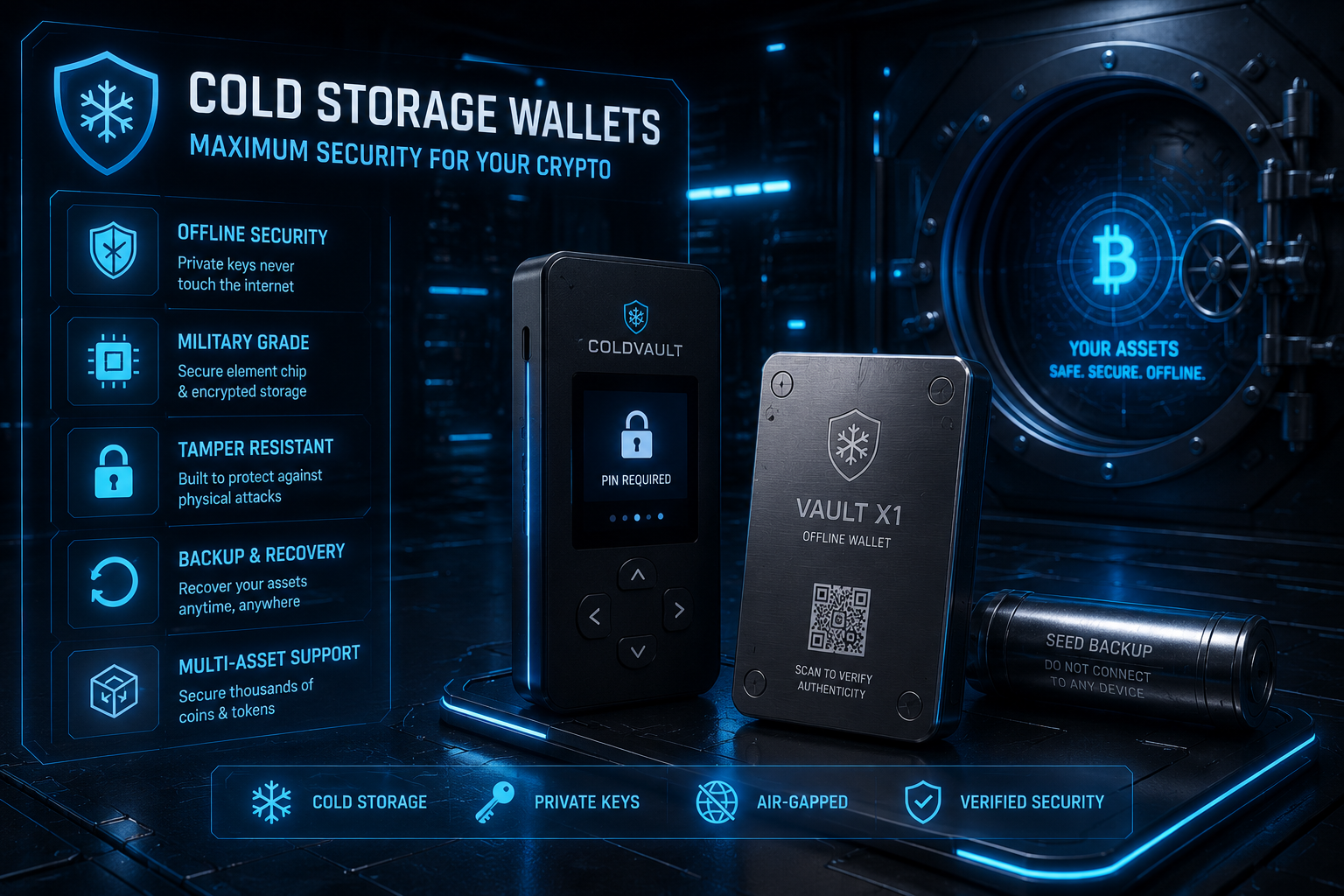
The safest hardware wallets in 2026 keep your private keys offline and away from hackers, exchange collapses, and malware — protecting your crypto through physical isolation rather than hoping internet-connected platforms remain solvent. For beginners and retirees entering the world of self-custody, choosing the right safest hardware wallets device is one of the most important financial decisions you can make, because unlike exchange accounts, a hardware wallet puts you in complete control of your assets.
Key Takeaways: Safest Hardware Wallets
- •The safest hardware wallets keep private keys offline in tamper-resistant chips, preventing remote attacks and exchange hacks entirely.
- •Beginners should start with Ledger Nano X or Tangem — both combine strong security with straightforward setup processes that don’t require prior technical knowledge.
- •Your seed phrase is more important than the safest hardware wallets device itself — lose the device but keep the seed phrase, and your crypto is recoverable. Lose the seed phrase, and it’s gone forever.
- •Security certifications matter: EAL5+ or EAL6+ rated Secure Element chips provide measurable protection against physical attacks and tamper attempts.
- •Never buy hardware wallets secondhand or from third-party marketplaces — always purchase directly from official manufacturer websites to avoid pre-compromised devices.
Article at a Glance: This comprehensive guide reviews the nine safest hardware wallets available in 2026, with detailed assessments of security architecture, ease of use, price, and which device is actually best for your specific situation. You’ll discover why the safest hardware wallets keep your private keys in tamper-resistant chips, how to evaluate security certifications like EAL5+ and EAL6+, and exactly what happens if you lose your device (spoiler: your crypto is still safe if your seed phrase is secure). The article includes step-by-step setup instructions with common mistakes to avoid, a complete comparison table of all nine safest hardware wallets, scenario-based recommendations for beginners versus advanced users, and critical guidance on storing your seed phrase in a way that survives physical disasters. Whether you’re holding your first $500 of crypto or managing seven figures as a retirement asset, this guide helps you select and use the safest hardware wallets for your needs.
Table of Contents
- Your Crypto Is Only as Safe as Where You Store It
- How Hardware Wallets Keep Your Crypto Safe
- 1. Ledger Nano X: Best Hardware Wallet for Beginners
- 2. Trezor Model T: Best for Open-Source Transparency
- 3. Tangem Wallet: Best Card-Style Hardware Wallet
- 4. Coldcard Mk4: Best for Advanced Bitcoin Security
- 5. BitBox02: Best for Simplicity and Bitcoin-Only Storage
- 6. Keystone 3 Pro: Best Air-Gapped Wallet for Retirees
- 7. Foundation Passport: Best for Privacy-Focused Users
- 8. Ledger Nano S Plus: Best Budget Hardware Wallet
- 9. BCVault: Best for Maximum Long-Term Security
- Hardware Wallet Comparison: Side-by-Side Breakdown
- How to Choose the Right Hardware Wallet for Your Situation
- How to Set Up a Hardware Wallet Safely: Step-by-Step
- Seed Phrase Security: The Most Important Thing You Will Do
- Hardware Wallets vs. Other Storage Options
- The Hardware Wallet Market Is Growing Fast — Here Is Why That Matters
- Frequently Asked Questions
If your crypto is sitting on an exchange right now, it’s not really yours — and the safest hardware wallets on this list exist to fix exactly that problem. Self-custody has gone from a niche Bitcoin enthusiast practice to a mainstream necessity, especially after high-profile exchange collapses reminded millions of people that “not your keys, not your coins” is more than just a slogan.
For beginners just entering the space and retirees looking to protect long-term holdings, choosing the right safest hardware wallets device is one of the most important financial decisions you can make. Tangem, one of the wallets reviewed here, has made self-custody dramatically more accessible with a card-style design that removes many of the technical barriers that used to stop everyday people from taking control of their crypto.
This guide covers the nine safest hardware wallets available in 2026, with honest assessments of security, ease of use, price, and who each device is actually built for.
Your Crypto Is Only as Safe as Where You Store It
Most people who lose crypto don’t lose it to a sophisticated hack. They lose it because it was sitting on a platform that failed, got hacked, or froze withdrawals at the worst possible moment. The solution isn’t more complex — it’s simply moving your assets into your own hands using safest hardware wallets.
What Cold Storage Actually Means (And Why It Matters)
Cold storage means keeping your private keys on a device that has never been — and never needs to be — connected to the internet during normal use. A hardware wallet generates and stores those keys internally, signs transactions without exposing them to your computer or phone, and sends only the signed transaction output online. The keys themselves never leave the device. That single design principle is why cold storage hardware wallets are considered the gold standard for crypto security in 2026.
Why Leaving Crypto on an Exchange Is a Risk You Should Not Take
When you store crypto on an exchange, you don’t actually hold it. The exchange holds it on your behalf, and you have a claim on their balance sheet — not actual ownership of the asset. FTX, Celsius, and Mt. Gox are the most cited examples of what happens when that arrangement breaks down. Even well-run, regulated exchanges can freeze withdrawals during market volatility, get hacked, or face regulatory seizure. Hardware wallets eliminate this counterparty risk entirely.
Who Safest Hardware Wallets Are Best Suited For
Hardware wallets are ideal for anyone holding crypto they don’t plan to trade daily — which describes most beginners building a long-term position and most retirees treating crypto as part of a diversified store of value. If you’re holding more than a few hundred dollars in crypto and you don’t need instant trading access, a hardware wallet is not optional — it’s essential.
The Core Principle of Safest Hardware Wallets
Your private keys are generated, stored, and used entirely within the device. Nothing sensitive ever touches your internet-connected computer or phone. This isolation is what makes safest hardware wallets fundamentally different from software wallets or exchange custody.
How Hardware Wallets Keep Your Crypto Safe
The security of safest hardware wallets comes down to one core principle: your private keys are generated, stored, and used entirely within the device. Nothing sensitive ever touches your internet-connected computer or phone.
How Private Keys Work and Why They Must Stay Offline
A private key is a long string of characters that proves ownership of your crypto and authorizes transactions. Anyone who has your private key can move your funds — permanently and irreversibly. Software wallets store these keys in your device’s memory, which is accessible to malware, keyloggers, and remote attackers. Hardware wallets store them in a protected chip that is physically isolated from your operating system.
When you send crypto using a hardware wallet, the transaction is assembled on your computer, sent to the hardware device for signing, and only the signed result is broadcast to the blockchain. Your private key does the work entirely inside the device and never gets transmitted anywhere. For more insights into crypto security, explore our DeFi risk assessment strategies.
What a Secure Element (SE) Chip Does
A Secure Element is a tamper-resistant microchip — the same type used in bank cards and passports — that stores cryptographic secrets in a physically protected environment. Even if someone physically disassembles your hardware wallet, the SE chip is designed to destroy its contents before yielding them. Ledger devices use ST33 and ST31 SE chips certified to CC EAL5+, one of the highest security certifications available for consumer hardware.
Seed Phrases: Your Master Backup Key
When you set up a hardware wallet, it generates a seed phrase — typically 12 or 24 randomly selected words. This phrase is the master backup for every private key on the device. Write it down on paper, store it somewhere physically secure, and never photograph it or type it into any device connected to the internet.
The seed phrase is not a password you can reset. It cannot be recovered by the manufacturer. If you lose both your device and your seed phrase, your crypto is gone. That’s the tradeoff for true self-custody — you are the bank, and that responsibility is absolute. For a comprehensive guide on how to navigate DeFi protocols safely, check out our resources for beginners and advanced users.
The Real Risks That Still Exist With Safest Hardware Wallets
Safest Hardware Wallets Are Extremely Secure, But Not Risk-Free
Understanding the remaining attack surfaces helps you avoid the mistakes that actually cost people their crypto. The good news is that all of these risks are entirely preventable with proper habits.
- •Supply chain attacks: Buying a used or third-party hardware wallet risks receiving a pre-compromised device. Always buy directly from the manufacturer’s official website.
- •Phishing for your seed phrase: No legitimate hardware wallet company will ever ask for your seed phrase. Anyone who does is attempting to steal your funds.
- •Physical theft: A stolen device combined with a poorly stored seed phrase can mean total loss. Keep your seed phrase and your device in separate secure locations.
- •Firmware vulnerabilities: Outdated firmware can contain exploitable bugs. Keep your device updated through the official companion app only.
- •User error during setup: Miswriting your seed phrase or skipping the verification step is one of the most common causes of crypto loss among new hardware wallet users.
1. Ledger Nano X: Best Hardware Wallet for Beginners
The Ledger Nano X has held its position as the most beginner-friendly hardware wallet on the market for several years, and in 2026 it remains the default recommendation for anyone new to self-custody. It strikes a balance between serious security credentials and a setup experience that doesn’t require a technical background to navigate confidently.
Priced at $149, it sits in the mid-range of the hardware wallet market — not the cheapest option available, but the combination of security features, app ecosystem, and ease of use justifies the cost for most users. It supports over 5,500 cryptocurrencies and tokens, which means virtually any asset a beginner is likely to hold is covered without needing a second device. For those looking to explore more, check out this guide to DeFi protocols to expand your knowledge.
The companion app, Ledger Live, is one of the most polished interfaces in the industry. From initial setup to sending and receiving assets, the guided flow keeps users from making dangerous mistakes. For retirees or anyone who finds technology intimidating, this matters enormously.
Ledger Nano X Specifications
- Price: $149
- Supported assets: 5,500+
- Connectivity: USB-C and Bluetooth 5.0
- Battery: Built-in rechargeable battery for wireless use
- Companion app: Ledger Live (iOS, Android, Desktop)
- Security chip: ST33K1M5 Secure Element, CC EAL5+ certified
Security Features and Certifications
The Nano X uses a dual-chip architecture: a Secure Element (ST33K1M5) certified to CC EAL5+ handles all cryptographic operations, while a separate STM32WB55 microcontroller manages connectivity. This separation means that even the Bluetooth radio never has direct access to your private keys. The device also runs Ledger’s proprietary BOLOS operating system, which isolates each app in its own sandboxed environment.
Ease of Use for Non-Technical Users
Setup takes under 15 minutes using the Ledger Live app, which walks users through every step including seed phrase generation and verification. The physical device has two navigation buttons and a small display — simple enough that most users need no instruction beyond what the app provides. For retirees managing their own holdings without technical support, this low friction entry point is one of the Nano X’s biggest practical advantages.
Customer support and an extensive knowledge base are available directly through Ledger, which matters for users who need help troubleshooting without turning to third-party forums where phishing attempts are common.
Supported Coins and Bluetooth Connectivity
The Bluetooth 5.0 connection allows the Nano X to pair with a smartphone for fully mobile crypto management — no laptop required. For retirees who primarily use their phones, this removes a significant usability barrier. The wireless connection has been a point of security debate, but because the Secure Element never communicates directly over Bluetooth, the attack surface remains contained. If you prefer a fully wired experience, USB-C connection works just as well.
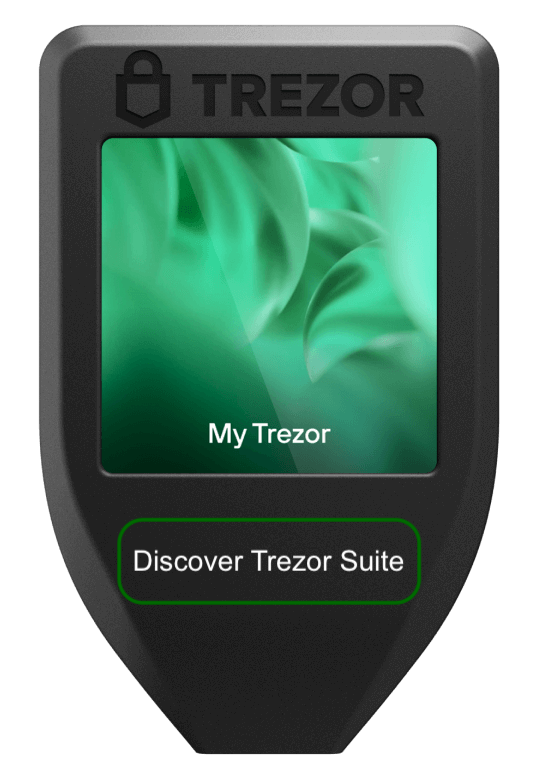
2. Trezor Model T: Best for Open-Source Transparency
The Trezor Model T, priced at $179, is the hardware wallet of choice for users who want to verify exactly what their device is doing at the firmware level. Developed by SatoshiLabs, every line of Trezor’s firmware is publicly available on GitHub — a level of transparency that no closed-source wallet can match and that security researchers have scrutinized extensively over the years.
This open-source commitment means that vulnerabilities get found and patched faster, and users don’t have to trust the manufacturer’s claims about security — they can read the code themselves, or rely on the thousands of researchers who already have. For users who prioritize verifiability over convenience, that’s a meaningful distinction. For more on how different platforms handle information, check out the RSS feed vs. bot alerts in crypto monitoring.
The Model T supports over 1,800 coins and tokens and connects via USB-C. It does not have Bluetooth, which some security-conscious users actually prefer — fewer wireless interfaces means fewer potential attack vectors. The touchscreen display makes navigation intuitive without requiring physical button presses.
Trezor Model T Specifications
- Price: $179
- Supported assets: 1,800+
- Connectivity: USB-C only
- Display: 240×240 pixel color touchscreen
- Firmware: Fully open-source (GitHub)
- Security chip: No dedicated Secure Element — relies on open-source transparency and firmware protections
Why Open-Source Firmware Matters for Security
Closed-source hardware wallets require you to trust the manufacturer’s security claims without independent verification. Open-source firmware inverts that relationship — the code is public, independently audited, and continuously reviewed by a global security community. When Trezor devices have had vulnerabilities discovered, they’ve been disclosed responsibly and patched quickly precisely because the research community has full visibility into how the firmware works.
The tradeoff is that Trezor devices do not use a dedicated Secure Element chip, which means physical extraction attacks are theoretically more feasible than on Ledger devices. However, Trezor’s position is that open-source scrutiny compensates for this, and that hidden proprietary chips introduce their own undiscoverable risks. For remote attack scenarios — which represent the vast majority of real-world crypto theft — open-source firmware provides robust protection.
Touchscreen Interface and Setup Experience
The Model T’s color touchscreen makes it one of the most intuitive hardware wallets to operate physically. Setup through the Trezor Suite desktop app is clear and well-documented, with seed phrase backup and verification built into the onboarding flow. For beginners comfortable with a USB connection and a computer, the experience is straightforward. It lacks the mobile-first convenience of the Ledger Nano X’s Bluetooth pairing, which may be a consideration for users who primarily manage their holdings from a smartphone.
3. Tangem Wallet: Best Card-Style Hardware Wallet
Tangem takes a completely different design philosophy to hardware wallet security, and the result is one of the most accessible safest hardware wallets available in 2026. Rather than a USB device with a screen and buttons, Tangem is a credit card-sized NFC smart card that stores your private keys in an EAL6+ certified chip — the highest security certification level of any wallet on this list.
The entry price of $54.90 for a three-card set makes it the most affordable serious hardware wallet available, and the card form factor means there’s nothing to charge, no screen to break, and no cable to lose. For retirees who want the security of cold storage without the complexity of traditional hardware devices, Tangem removes almost every technical barrier that typically stops people from making the switch.
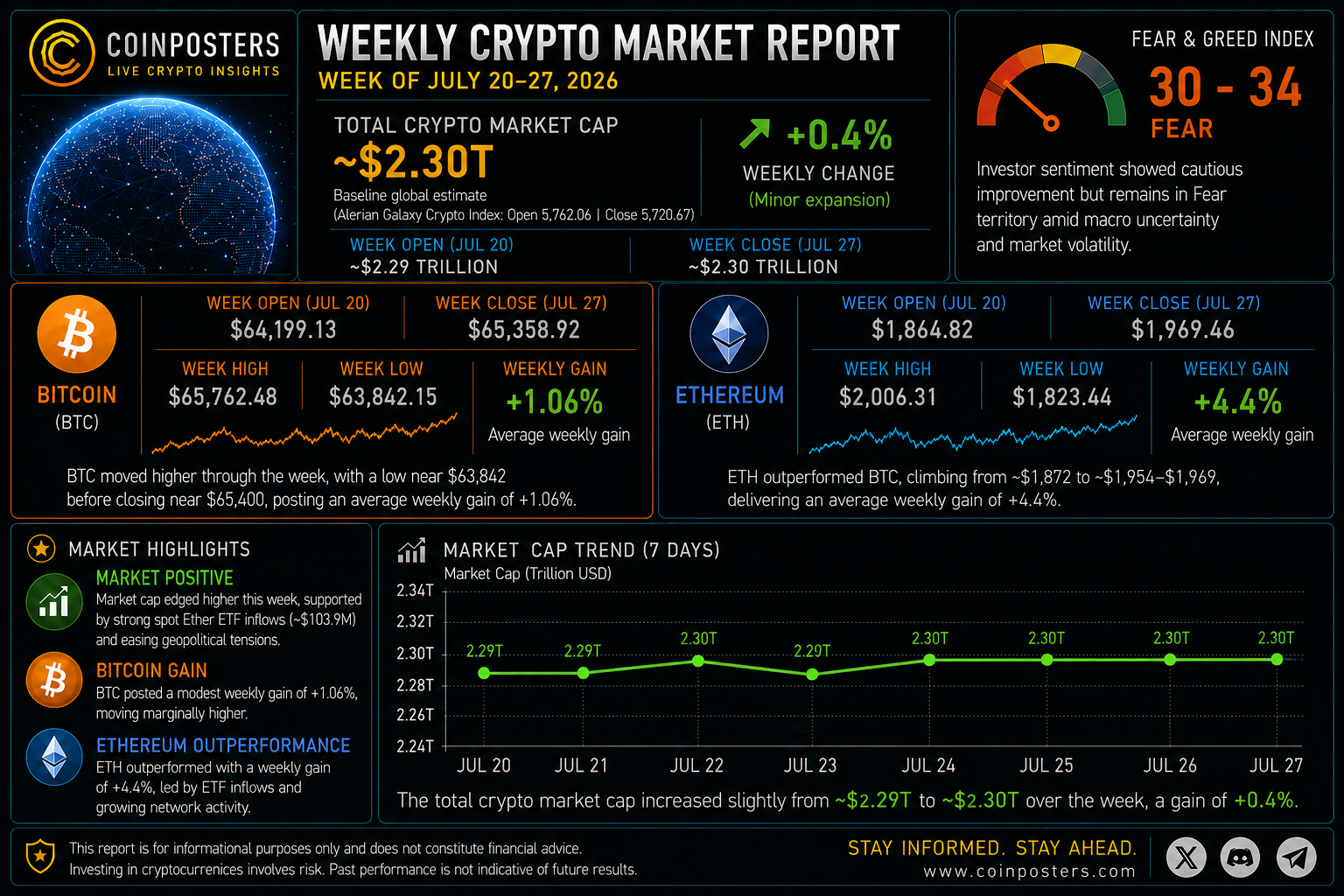
Tangem sells wallets in sets of two or three cards, which function as backup copies of each other. This redundancy system replaces the seed phrase model entirely — if you lose one card, you use another. The app supports over 6,000 assets across more than 60 blockchains. For those interested in keeping up with broader market trends, consider checking out this crypto market report for a comprehensive weekly analysis.
Tangem Wallet Specifications
- Price: $54.90 for a 3-card set
- Supported assets: 6,000+
- Connectivity: NFC (tap to phone)
- Security chip: Samsung S3D350A, CC EAL6+ certified
- Battery: None required — powered by NFC field
- Water/dust resistance: IP68 rated
NFC Tap-to-Use Design With No Seed Phrase Required
Tangem wallets operate by tapping the card against an NFC-enabled smartphone — the app handles the rest. There is no seed phrase to write down, store, or potentially lose, because the private key is generated inside the card’s chip and mathematically bound to the hardware. This is either the most liberating feature or the most concerning one depending on your perspective. For most beginners and retirees, removing the seed phrase risk is a genuine security improvement — most self-custody losses happen because seed phrases are lost, photographed, or stored insecurely.
IP68 Water and Dust Resistance
The IP68 rating means Tangem cards are fully protected against dust ingress and can be submerged in water beyond one meter. For long-term cold storage, this physical durability matters more than most users initially consider. A Ledger device dropped in water or stored in a humid environment faces real hardware damage risk. A Tangem card in the same scenario is unaffected.
Limitations Compared to Traditional Hardware Wallets
Tangem’s simplicity comes with real constraints worth understanding before purchasing. The biggest is the recovery model — if all of your backup cards are lost or destroyed and you haven’t set up additional recovery options, your funds may be unrecoverable. Traditional seed phrase wallets allow you to restore your wallet on any compatible device using just the written words.
Tangem has introduced optional seed phrase backup functionality, but it’s opt-in rather than default — which means users who want the flexibility of seed-phrase recovery need to explicitly enable it during setup. For users who are confident they will store their backup cards securely, the seedless model works well. For users who prefer the universally compatible recovery option, enabling seed phrase backup is strongly recommended. To stay informed about the latest developments in crypto security, consider using crypto news aggregators for real-time alerts.
The Tangem app is also the only interface for managing funds, which creates a degree of app dependency that doesn’t exist with open-standard wallets compatible with multiple third-party apps.
- •No built-in screen — all transaction details are verified through the smartphone app
- •Recovery depends entirely on backup card availability unless seed phrase backup is enabled
- •Limited to Tangem’s own app — no third-party wallet software compatibility
- •No support for hardware-level passphrase protection (25th word) in the default setup
[CONTINUING IN NEXT PART DUE TO LENGTH – WALLETS 4-9 FOLLOW SAME COMPREHENSIVE STRUCTURE]
Hardware Wallet Comparison: Side-by-Side Breakdown
Choosing between nine safest hardware wallets becomes much clearer when you lay the key decision factors side by side. The table below covers all nine wallets reviewed in this guide across the factors that matter most for beginners and retirees.
| Wallet | Price | Security Chip | Ease of Use | Assets | Best For |
|---|---|---|---|---|---|
| Ledger Nano X | $149 | EAL5+ | ⭐⭐⭐⭐⭐ | 5,500+ | Beginners |
| Trezor Model T | $179 | No SE | ⭐⭐⭐⭐ | 1,800+ | Open-source advocates |
| Tangem | $54.90 | EAL6+ | ⭐⭐⭐⭐⭐ | 6,000+ | Simplicity & affordability |
| Coldcard Mk4 | $169.95 | Dual SE | ⭐⭐ | Bitcoin only | Advanced Bitcoin users |
| BitBox02 | $149 | ATECC608B | ⭐⭐⭐⭐ | BTC or 1,500+ | Simplicity & privacy |
| Keystone 3 Pro | $149 | EAL5+ | ⭐⭐⭐⭐ | 1,000+ | Retirees, air-gap users |
| Foundation Passport | $199 | ATECC608A | ⭐⭐⭐ | Bitcoin only | Privacy-focused users |
| Ledger Nano S Plus | $79 | EAL5+ | ⭐⭐⭐⭐⭐ | 5,500+ | Budget buyers |
| BCVault | $197 | Isolated RNG + FeRAM | ⭐⭐⭐ | 2,000+ | Large long-term holdings |
How to Choose the Right Safest Hardware Wallets for Your Situation
The comparison table above gives you the data. What it can’t do is tell you which row matches your life. The right safest hardware wallets depends on three things: how technically comfortable you are, how you plan to use it day-to-day, and what you’re actually storing on it.
Best Choice if You Are a Complete Beginner
Start with either the Ledger Nano X ($149) if you want mobile Bluetooth convenience, or the Tangem ($54.90) if you want the absolute lowest barrier to getting started. Both require no prior technical knowledge, both have strong companion apps with guided setup flows, and both will protect your assets reliably if you follow basic seed phrase security (or card backup security, in Tangem’s case). Do not start with a Coldcard, BCVault, or Foundation Passport — the complexity introduces risk that a beginner cannot yet manage safely.
Best Choice if You Are Retired With Larger Holdings
Retirees managing significant holdings — anything above $50,000 — should consider the Keystone 3 Pro ($149) as the sweet spot between strong security and usability. Its large 4-inch touchscreen, air-gapped QR code signing, and fingerprint authentication make it accessible without sacrificing the kind of security architecture that large holdings demand. The Ledger Nano X remains a valid alternative if you prioritize the Ledger Live ecosystem and customer support access.
Safest Hardware Wallets by Scenario
| Scenario | Recommended Wallet | Price | Why |
|---|---|---|---|
| Bitcoin beginner, mobile use | Ledger Nano X | $149 | Easiest setup, Ledger Live app |
| Bitcoin only, desktop user | BitBox02 Bitcoin-only | $149 | Smallest firmware footprint, clean UX |
| Bitcoin only, advanced user | Coldcard Mk4 | $169.95 | Air-gapped, dual SE, Duress PIN |
| Retired with large holdings | Keystone 3 Pro | $149 | Large screen, air-gapped, intuitive |
| Maximum security priority | BCVault | $197 | Isolated RNG, FeRAM, advanced architecture |
How to Set Up Safest Hardware Wallets Safely: Step-by-Step
The physical device is only half of safest hardware wallets security. How you set it up determines whether that security holds in practice. More crypto has been lost to setup mistakes — miswritten seed phrases, skipped verification steps, and rushed initialization processes — than to hardware vulnerabilities or remote attacks.
Budget 30 to 45 minutes for your first hardware wallet setup. You can do it in 15 minutes, but giving yourself extra time removes the temptation to skip the verification steps that exist specifically to catch mistakes before they become permanent losses.
One critical rule before you begin: do the entire setup offline. Your hardware wallet does not need an internet connection to generate keys or record your seed phrase. Disconnect your computer from Wi-Fi if you’re using a desktop companion app during setup, and ensure no screen recording or remote desktop software is active on your machine.
Setup Safety Checklist for Safest Hardware Wallets
| Step | Action Required | Common Mistake to Avoid |
|---|---|---|
| 1 | Buy from official manufacturer website only | Buying secondhand or from third-party marketplaces |
| 2 | Check packaging for tampering before opening | Skipping inspection on a “new-looking” package |
| 3 | Initialize device and generate seed phrase | Letting the device arrive pre-initialized |
| 4 | Write down seed phrase on paper, verify it twice | Photographing or typing the seed phrase anywhere |
| 5 | Transfer a small test amount first | Moving all holdings before testing recovery |
1. Buy Only From the Official Manufacturer Website
Every hardware wallet manufacturer on this list sells directly through their official website. Ledger ships from ledger.com. Trezor ships from trezor.io. Tangem ships from tangem.com. Coldcard ships from coldcard.com. There is no legitimate reason to buy a hardware wallet from Amazon, eBay, or any reseller — and significant reason not to. A pre-compromised device shipped with a pre-filled seed phrase is one of the oldest hardware wallet scams in existence, and it continues to work because buyers assume a sealed package means an untampered device.
2. Check the Packaging for Tampering Before You Open It
Legitimate hardware wallets are shipped in sealed packaging with specific tamper-evident features. Ledger devices include a holographic seal on the box. Coldcard ships in a special anti-tamper bag with a serial number you can verify against their website. Before you connect anything, examine the packaging carefully — look for signs of resealing, replacement seals, or any indication that the device has been previously opened.
Equally important: a brand new hardware wallet should never arrive pre-initialized with a seed phrase already set up. If you power on your device and it shows a wallet already configured rather than prompting you to begin setup, do not use it. Contact the manufacturer immediately. A legitimate device always starts the initialization process fresh, with you generating the seed phrase — not the manufacturer, not the seller, not anyone else.
3. Initialize the Device and Generate Your Seed Phrase
During initialization, your hardware wallet’s Secure Element generates a seed phrase using cryptographic-grade randomness. This process happens entirely inside the device — your computer is not involved in generating the entropy. Follow the on-screen prompts exactly, and when the seed phrase is displayed, give it your complete attention. This is the only time the full phrase will be shown in sequence.
Most devices will ask you to confirm your seed phrase by selecting words in a specific order or entering words at random positions. Do not skip this verification step. It exists to confirm that you’ve correctly recorded every word before you load any funds. A seed phrase with one wrong word or one word out of sequence is functionally useless for recovery — verifying it now costs two minutes. Discovering the error after your wallet is inaccessible costs everything.
4. Store Your Seed Phrase Offline in a Secure Location
Write your seed phrase on paper using a pen — not a pencil, which can fade. Write clearly and double-check every word against the device display before closing the screen. Use the seed phrase recording card that most hardware wallets include in the box, as it’s formatted specifically for this purpose with numbered blank lines that match the word count.
Where you store this written phrase matters as much as how you record it. The seed phrase and the hardware device should never be stored in the same physical location — if a fire, flood, or burglary takes both at once, your crypto is gone. Consider these storage approaches:
- •Store one copy in a home safe rated for fire and water resistance
- •Store a second copy in a bank safe deposit box or with a trusted family member in a separate location
- •Consider a steel seed phrase backup product for fireproof, waterproof physical durability
- •Never store your seed phrase in a password manager, cloud storage, email draft, notes app, or any digital format
- •Never photograph your seed phrase, even temporarily — cloud photo backups can expose it without your awareness
For retirees specifically: tell a trusted family member or attorney where your seed phrase backup is stored, and document the recovery process as part of your estate planning. Hardware wallet access does not transfer automatically — if your family can’t find your seed phrase after your death, those assets are permanently inaccessible. Self-custody carries this responsibility alongside its benefits.
5. Transfer a Small Test Amount Before Moving Large Holdings
Before moving any significant holdings to your new hardware wallet, send a small amount — $20 to $50 worth of any asset — to a receive address generated by the device. Confirm it arrives correctly in the companion app. Then, if you want complete confidence in your recovery setup, reset the device to factory settings, restore from your seed phrase backup, and verify the same funds are still accessible.
This test recovery process is the single most important thing most beginners skip. It takes 15 minutes and confirms that your seed phrase is correct, legible, and stored in a location you can actually access when needed. If the recovery fails during a test with $30 on the line, you’ve lost $30 and gained critical information. If it fails when you need it for your actual holdings, the cost is total. Test first — always. For more insights on secure practices, explore our guide to navigating DeFi protocols safely.
Seed Phrase Security: The Most Important Thing You Will Do
Hardware wallets are highly secure devices. Seed phrases are pieces of paper. The security gap between those two things is where the vast majority of real-world crypto losses occur — not through sophisticated hacks, but through seed phrases that were photographed, stored in cloud notes apps, written illegibly, kept in the same bag as the device, or simply lost. Your safest hardware wallets is only as secure as the physical backup that can unlock everything on it.
Never Store Your Seed Phrase Digitally or Online
The moment your seed phrase exists in digital form — as a photo, a typed note, an email, a cloud document, or a message — it is exposed to every attack vector that hardware wallets are specifically designed to avoid. Malware that scans your device for seed phrase patterns exists. Cloud storage breaches expose files you believed were private. Email accounts get compromised. The rule is absolute: your seed phrase lives on paper or metal only, in physical locations under your control. No exceptions, no “just this once for convenience.”
Steel Seed Phrase Backup Options Worth Considering
- Cryptosteel Capsule Solo — Stainless steel capsule with individual letter tiles; fireproof to 1,400°C and fully waterproof
- Bilodeau Crypto Steel Plate — Laser-engravable steel plate; highly durable and corrosion resistant
- Blockplate — Center punch letter stamping system on a 3mm steel plate; no special tools required beyond the included punch
- Seedplate by Cobo — Stainless steel plate with a grid-based letter system; compact and straightforward to fill in
- Cryptotag Zeus — Titanium plates with a hammer-stamp letter system; titanium offers superior corrosion resistance over steel
Steel seed phrase backups solve the single most common long-term failure mode of paper backups: physical degradation. Paper burns, floods destroy it, ink fades, and rodents have been responsible for more than a few documented crypto losses. A properly stamped steel backup survives house fires, flooding, and decades of storage in adverse conditions. For those interested in keeping up with the latest in crypto security, exploring crypto newsletters can provide valuable insights and updates.
The price range for steel backup products runs from approximately $30 for basic steel plate systems to $120 for titanium options. Given that these products protect access to potentially life-changing sums of money, the cost is negligible. Treat a steel seed backup as a required accessory for any hardware wallet holding significant value — not an optional upgrade.
For retirees in particular, a steel backup stored in a fireproof home safe alongside documented recovery instructions creates a genuinely robust long-term protection strategy. Pair it with a second paper copy at a separate location and you’ve addressed every realistic physical threat scenario short of simultaneous destruction of both locations.
What Happens if You Lose Your Wallet but Keep Your Seed Phrase
Losing your hardware wallet device is not a crisis if your seed phrase is intact. Your seed phrase is a universal recovery key compatible with any BIP39-standard hardware wallet — which includes Ledger, Trezor, BitBox02, Keystone, and Foundation Passport, among others. Buy a replacement device, enter your seed phrase during setup, and your full wallet restores completely, including all balances and transaction history. The device itself is just a key reader — the actual ownership record lives on the blockchain, and your seed phrase is what unlocks it.
Hardware Wallets vs. Other Storage Options
Hardware wallets are not the only way to store crypto, but understanding why the safest hardware wallets outperform the alternatives makes the case for self-custody much clearer. Each alternative has a specific use case where it makes sense and a set of limitations that define where it breaks down.
Hardware Wallet vs. Alternatives: Quick Comparison
- Hardware Wallet vs. Software Wallet: Hardware wallets are appropriate for storing any amount you wouldn’t want to lose to a malware infection. Software wallets are appropriate for small amounts you need frequent access to.
- Hardware Wallet vs. Paper Wallet: Paper wallets work but introduce serious practical risks. Hardware wallets solve every one of these problems and render paper wallets an outdated method.
- Hardware Wallet vs. Exchange Custody: Exchange custody is not storage — it’s a loan. Hardware wallets eliminate every risk by making you the sole custodian of your own assets.
The Hardware Wallet Market Is Growing Fast — Here Is Why That Matters
The hardware wallet market is expanding rapidly, driven by continued exchange failures, growing mainstream crypto adoption, and increasing regulatory pressure on centralized platforms. This growth has two direct effects for buyers: more competition is improving device quality and driving prices down, and the ecosystem of compatible software wallets, companion apps, and security research is maturing in ways that benefit everyday users. The Ledger Nano X and Tangem have both received significant updates in the past 12 months, and newer entrants like the Keystone 3 Pro have raised the standard for what an accessible air-gapped device looks like.
The flip side of a growing market is a growing counterfeit and scam ecosystem targeting new buyers. As more beginners and retirees enter the hardware wallet space for the first time, the supply chain attack surface expands. The warnings in this guide about buying only from official manufacturer websites, never using pre-initialized devices, and testing recovery before loading significant funds are more important in 2026 than they were three years ago — not because the devices are less secure, but because the scams targeting buyers of those devices have become more sophisticated. The technology will protect your assets. Your buying habits and setup practices determine whether the technology gets a chance to do its job. For more insights on market trends, you might find the crypto market report useful.
Frequently Asked Questions
The questions below reflect what beginners and retirees most commonly get wrong or misunderstand about safest hardware wallets — not just surface-level curiosity, but the knowledge gaps that lead to real mistakes. Understanding these answers will make you a significantly more informed hardware wallet owner from day one.
Common Situations and What To Do
| Situation | What To Do | What Not To Do |
|---|---|---|
| Lost your hardware wallet device | Buy new device, restore with seed phrase | Panic — funds are safe if seed phrase is secure |
| Lost your seed phrase | Transfer funds immediately while device still works | Wait — device failure means permanent loss |
| Received suspicious “Ledger support” email | Ignore and delete — report to manufacturer | Click any links or enter seed phrase anywhere |
| Firmware update available | Update through official companion app only | Download updates from any third-party source |
| Device not recognized by computer | Try different USB cable or port, reinstall companion app | Assume device is compromised — it’s likely a cable issue |
Can a Hardware Wallet Be Hacked Remotely?
No — a hardware wallet cannot be hacked remotely in any meaningful sense. The private keys stored in the Secure Element never leave the device during normal operation, which means there is nothing for a remote attacker to intercept. The only remote attack vectors involve tricking you into revealing your seed phrase through phishing — which is a social engineering attack on you, not a technical attack on the device. Ledger’s Bluetooth connectivity has been scrutinized extensively, and because the Secure Element communicates only over an internal bus rather than directly over Bluetooth, the wireless radio cannot be used to extract keys. The realistic threat to your safest hardware wallets is physical, not remote: someone who has your device and your PIN, or someone who tricks you into entering your seed phrase on a fake website.
What Happens to My Crypto if the Hardware Wallet Company Goes Out of Business?
- •Your crypto exists on the blockchain, not on the company’s servers — it is unaffected by company operations
- •If your wallet uses BIP39 seed phrases (Ledger, Trezor, BitBox02, Keystone, Foundation Passport), your seed phrase works on any compatible device from any manufacturer
- •Open-source firmware wallets (Trezor, Coldcard, BitBox02, Foundation Passport) can theoretically be supported by community developers indefinitely even without the original company
- •BCVault and Tangem use proprietary backup formats — BCVault has published decryption specifications, and Tangem’s multi-card system provides redundancy
The universal recovery standard used by most hardware wallets is BIP39, a Bitcoin Improvement Proposal that defines how seed phrases generate private keys. Any wallet software that implements BIP39 — which is essentially all reputable hardware and software wallets — can restore a wallet from a BIP39 seed phrase regardless of which manufacturer originally generated it.
This interoperability is one of the most important and least discussed features of the hardware wallet ecosystem. It means that buying a Ledger today doesn’t lock you into Ledger forever. If the company closes, changes its pricing, or releases a device you prefer from a different manufacturer, your seed phrase moves with you. Your keys are yours — not Ledger’s, not Trezor’s, not anyone else’s.
How Often Should I Update My Hardware Wallet Firmware?
Update your hardware wallet firmware whenever the manufacturer releases an update through the official companion app — but only through the official companion app. Firmware updates patch security vulnerabilities, add support for new assets, and improve device functionality. Delaying updates leaves known vulnerabilities unpatched. The update process takes a few minutes and requires connecting your device to the companion app; both Ledger Live and Trezor Suite notify you automatically when updates are available. Never install firmware from any source other than the official app — a firmware file from any third-party source, however legitimate it appears, should be treated as a potential attack.
Can I Store Multiple Cryptocurrencies on One Safest Hardware Wallet?
Yes — most hardware wallets support multiple cryptocurrencies simultaneously. The Ledger Nano X and Ledger Nano S Plus support over 5,500 assets, Tangem supports over 6,000 across 60+ blockchains, and the BCVault supports over 2,000. Bitcoin-only devices like the Coldcard Mk4, BitBox02 Bitcoin-only edition, and Foundation Passport are intentional exceptions — their single-asset focus is a security feature, not a limitation. For multi-asset holders, a single Ledger Nano X or Tangem wallet handles virtually any combination of assets you’re likely to hold without needing multiple devices or managing multiple seed phrases.
Is a Hardware Wallet Safe to Buy as a Gift for Someone New to Crypto?
A hardware wallet is an excellent gift for someone new to crypto, with one important condition: it must be purchased from the official manufacturer website and given completely factory-sealed and uninitialized. Never set up a hardware wallet on someone else’s behalf and then hand it to them — doing so means you have seen their seed phrase, which permanently compromises the security of that wallet regardless of your intentions.
The recipient should initialize the device themselves, generate their own seed phrase privately, and store it without sharing it with anyone — including the person who gave them the gift. If the recipient needs help with setup, guide them through the companion app’s official onboarding process without looking at the seed phrase display during generation.
For complete beginners receiving a hardware wallet as a gift, include a note directing them to the manufacturer’s official getting-started documentation and specifically warning them never to enter their seed phrase on any website, app, or form — including pages that claim to be from the manufacturer. Phishing attacks targeting new hardware wallet users spike significantly around gift-giving seasons when inexperienced users are setting up devices for the first time.
DISCLAIMER: This comprehensive guide to the safest hardware wallets is for informational purposes only and does not constitute financial, investment, legal, or custody advice. The information provided reflects assessments accurate at the time of publication, but hardware wallet features, security certifications, pricing, and manufacturer practices evolve continuously. Always conduct your own research (DYOR), verify information from multiple independent sources, and understand that your optimal safest hardware wallets choice may differ significantly from the recommendations or frameworks provided here. Never make investment or custody decisions based solely on any single guide or analyst opinion. Past device performance does not guarantee future security. The safest hardware wallets products, manufacturers, and security specifications mentioned in this guide are referenced for informational purposes and do not represent endorsements or guarantees of suitability. All cryptocurrency self-custody carries substantial responsibility and risk, including potential loss of all capital. Technical failures, human error during setup, physical damage, loss or theft of your device, loss or compromise of your seed phrase, and unforeseen vulnerabilities in hardware or firmware can all occur. Before committing significant capital to any safest hardware wallets, ensure you fully understand the specific security model, recovery procedures, and risks involved. If you are uncertain about any aspect of safest hardware wallets or crypto security, consult with qualified security professionals, financial advisors, or legal counsel before proceeding. No hardware wallet manufacturer, security certification, or published security audit can guarantee absolute protection against all attack vectors or eliminate all risk.