Coinposters
Mobile vs Desktop Wallets for Security and Convenience Trading in 2026
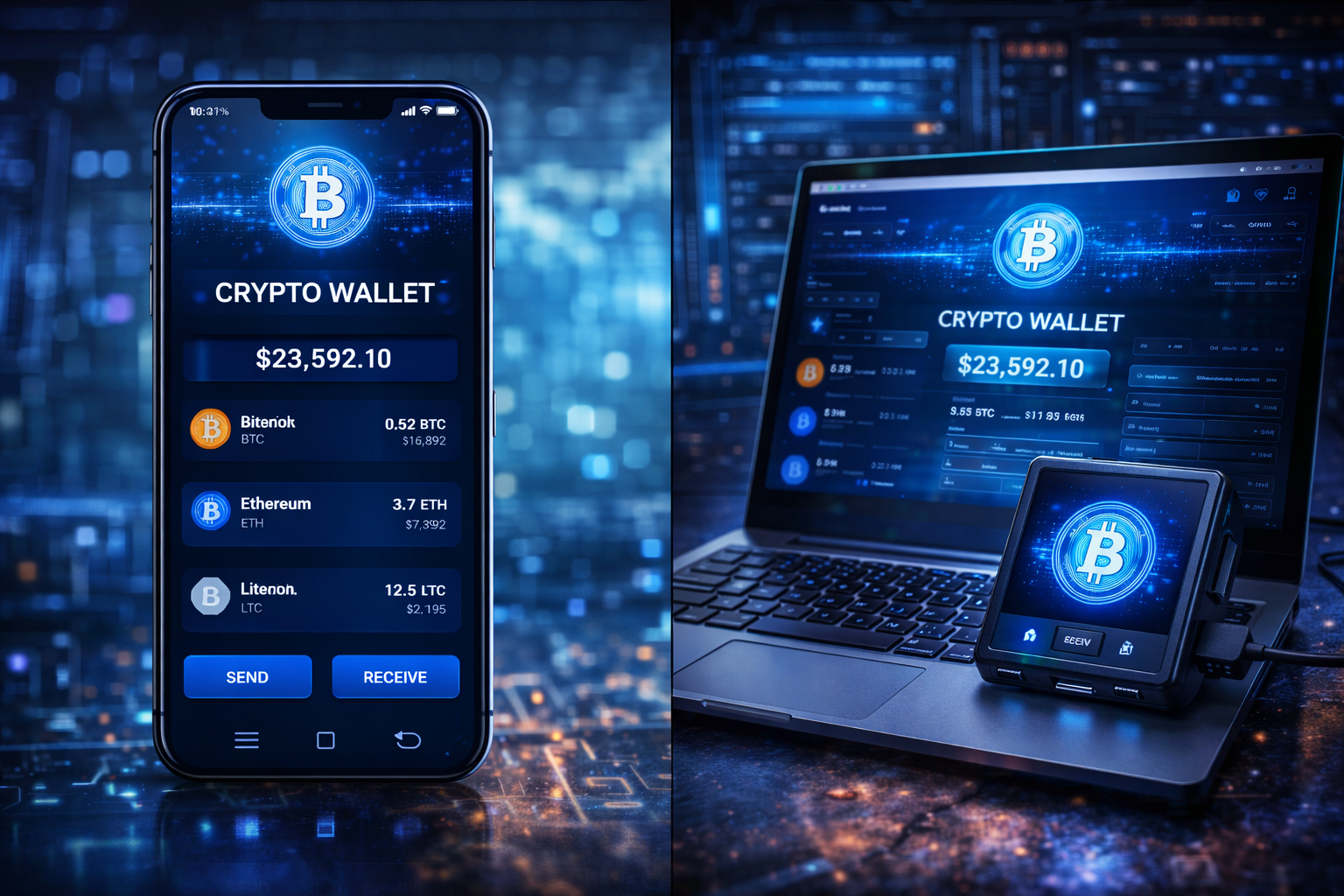
Wallet Guide · 2026
Mobile Wallet vs
Desktop Wallet:
Which Is Right for
Your Crypto in 2026?
Mobile wins on convenience. Desktop wins on control. The smartest traders in 2026 use both — deliberately.
Article at a Glance
- →Mobile wallets dominate convenience — instant access, biometric login, and QR-code payments make them ideal for daily crypto use in 2026.
- →Desktop wallets still lead for serious trading — larger interfaces, stronger DeFi tooling, and more granular control give desktop an edge for power users.
- →Security risks differ significantly — mobile wallets face SIM-swap and app-based attacks, while desktop wallets are more exposed to malware and browser extension exploits.
- →Most top wallets now work across both platforms — MetaMask and Exodus let you sync the same wallet across mobile and desktop, so you don’t have to choose just one.
- →One security mistake can cost everything — later in this article, we break down exactly how to lock down whichever wallet type you use, including a step many traders skip entirely.
Choosing between a mobile wallet vs desktop wallet in 2026 isn’t just a preference question — it’s a security decision that directly affects how exposed your crypto is. The wallet form factor you choose shapes your attack surface, your daily workflow, and ultimately, how much control you actually have over your assets. For a deeper dive into how wallet security works at the architecture level, our guide on hardware wallet vs software wallet security is essential reading. For a comprehensive overview of how cryptocurrency wallets work at a technical level, Wikipedia provides solid background, and Crypto.com’s crypto wallet guide covers the fundamentals clearly for newer holders.
The good news is that both wallet types have matured significantly. Mobile wallets now use hardware-level secure enclaves to protect private keys. Desktop wallets have improved their phishing detection and token approval management. But neither is perfect, and the differences matter more than most traders realize.
Mobile Wins on Convenience, Desktop Wins on Security — Here’s the Nuance
That headline is mostly true, but the reality of the mobile wallet vs desktop wallet debate in 2026 is more layered. A well-configured mobile wallet running on a patched iOS or Android device with biometric protection can be remarkably secure. Equally, a desktop wallet installed on a machine loaded with browser extensions, connected to public Wi-Fi, and running outdated software is a liability. The platform matters — but so does how you use it.
How Mobile Wallets Actually Work in 2026
Mobile wallets are apps that store your private keys directly on your smartphone, encrypt them using device-level security, and give you an interface to send, receive, and manage crypto. In 2026, the best mobile wallets go well beyond simple key storage — they integrate multi-chain support, in-app swaps, NFT management, and direct DeFi access from your pocket.
Custodial vs. Non-Custodial Mobile Wallets
The most important distinction in mobile wallets isn’t the interface — it’s who controls the private keys. A custodial mobile wallet is essentially an exchange app like Coinbase or Binance Mobile. You log in, see your balance, and transact — but the exchange holds your keys. That means if the exchange is hacked, goes insolvent, or freezes withdrawals, your funds are at risk. You don’t actually own the crypto; you own a claim on it. For those interested in exploring different wallet options, here’s a comparison of hardware vs. software wallets for enhanced security.
A non-custodial mobile wallet — like Trust Wallet, MetaMask Mobile, or Exodus Mobile — generates and stores your private keys locally on your device. You receive a 12 or 24-word seed phrase at setup that is the only backup for your funds. No company holds a copy. No customer support can recover it for you. This is the model serious crypto users prefer, because it eliminates third-party risk entirely. For those considering different investment strategies, it’s important to understand the differences between precious metals and cryptocurrency for portfolio diversification in 2026.
In 2026, the line has blurred slightly. Some hybrid wallets offer social recovery or multi-party computation (MPC) key sharing, where your key is split between your device and a secure server — removing the single point of failure of the seed phrase while retaining most of the benefits of self-custody. Coinbase Wallet (non-custodial) now offers this as an option, making non-custodial access more approachable for new users.
Custodial vs. Non-Custodial: What’s the Difference?
Custodial
Exchange holds your keys. You own a claim on crypto — not crypto itself.
Examples: Coinbase App, Binance Mobile
Non-Custodial
You hold your own keys. Full ownership, full responsibility.
Examples: Trust Wallet, MetaMask Mobile, Exodus
Hybrid (MPC)
Key is split between your device and a secure server. Reduces seed phrase risk.
Examples: Coinbase Wallet (non-custodial mode)
How Mobile Devices Store Private Keys
On a non-custodial mobile wallet, your private key never leaves your device in plaintext. Here’s the layered protection model most leading wallets use in 2026:
Mobile Key Protection — Layered Security Model
- 01Encryption at rest — the private key is encrypted using AES-256 and stored in the device’s secure storage (Keystore on Android, Keychain on iOS).
- 02Secure Enclave isolation — on modern iPhones and flagship Android devices, key material is handled inside a dedicated hardware chip physically separate from the main processor.
- 03OS-level sandboxing — the wallet app runs in an isolated environment, meaning other apps cannot read its memory or storage.
- 04Authentication gating — access to the key for signing transactions requires PIN, biometric, or both, depending on your configuration.
This architecture means that even if malware is running on your phone, extracting the private key in usable form is extremely difficult. The vulnerability window on mobile is typically at the application layer — malicious apps, clipboard hijackers, or screen-capture malware — rather than at the key storage layer itself.
That said, if an attacker gains physical access to your unlocked device, or if you’ve exported your seed phrase to a notes app or screenshot, all of that hardware-level protection becomes irrelevant. The secure enclave protects the key in storage, but it cannot protect you from your own operational security mistakes.
Biometric Authentication and Secure Enclave Protection
Apple’s Secure Enclave and Android’s equivalent StrongBox Keymaster are now standard in any mid-range or flagship device released after 2022. These chips process biometric authentication — Face ID, fingerprint — and cryptographic operations without exposing sensitive data to the main OS. When you approve a transaction using Face ID on MetaMask Mobile, the biometric check happens entirely inside the Secure Enclave. MetaMask never sees your biometric data, and the signing key never passes through the main CPU in plaintext.
“This is a meaningful security upgrade compared to even three years ago — and it’s one of the reasons mobile wallets have closed the security gap with desktop significantly.”
The remaining question is what happens above the hardware layer — in the app, the browser, and the user’s own behavior.
How Desktop Wallets Work and Why Traders Still Use Them
Desktop wallets are software applications — or browser extensions — installed on your computer that manage private keys locally. Despite the growth of mobile, desktop wallets remain the tool of choice for active DeFi traders, NFT collectors, and anyone managing complex multi-protocol positions. The reasons are practical: bigger screens, faster keyboards, more powerful interfaces, and browser-native integration with the full Web3 ecosystem.
Local Key Storage vs. Cloud-Based Alternatives
Desktop wallets store encrypted key files directly on your hard drive. MetaMask, for example, stores an encrypted vault file in your browser’s local storage. Exodus Desktop keeps an encrypted wallet database locally. Neither syncs your private keys to a cloud server by default — your keys stay on your machine. The risk, of course, is that your machine is connected to the internet, runs dozens of other applications, and is a far more complex attack surface than a mobile device with a single wallet app installed.
Why Desktop Environments Offer Stronger DeFi and Trading Interfaces
The practical advantage of desktop wallets for active traders comes down to interface depth. When you’re managing liquidity positions on Uniswap v4, reviewing token approval lists on Revoke.cash, or executing multi-step yield strategies on Aave or Curve, a desktop browser with MetaMask installed gives you the full picture. You can have multiple tabs open, monitor on-chain analytics, and interact with protocol interfaces designed for full-screen use. For those interested in exploring DeFi income strategies, desktop environments provide the necessary tools and visibility.
Mobile DeFi has improved dramatically, but most protocol front-ends are still optimized for desktop. Complex transactions — like adding concentrated liquidity with custom price ranges — are genuinely harder to execute accurately on a 6-inch screen. For traders where precision and speed matter, desktop remains the more capable environment in 2026.
Mobile vs Desktop Wallets: Security Compared Head-to-Head
Security comparisons in the mobile wallet vs desktop wallet debate are rarely straightforward because both platforms have distinct threat models. What makes a mobile wallet vulnerable is fundamentally different from what makes a desktop wallet vulnerable. Understanding both is essential if you’re going to protect your holdings effectively.
The Biggest Security Risks on Mobile Wallets
The most common mobile wallet attacks in 2026 target the user layer, not the key storage layer. SIM-swap attacks remain dangerous for wallets or exchanges that use SMS-based two-factor authentication — an attacker convinces your carrier to transfer your number, intercepts SMS codes, and gains access. Malicious apps that mimic legitimate wallet interfaces are a persistent threat on Android in particular, where sideloading is more accessible. Clipboard hijacking malware quietly replaces copied wallet addresses with attacker-controlled addresses — a simple but devastating attack that has resulted in significant losses. Physical theft of an unlocked device is also a real risk that desktop users don’t face in the same way.
The Biggest Security Risks on Desktop Wallets
Desktop environments carry a heavier malware burden. Keyloggers can capture seed phrases entered during wallet setup or recovery. Malicious browser extensions — sometimes disguised as legitimate tools — can read page content, inject malicious scripts into DeFi front-ends, and intercept transaction data before it’s signed. Fake wallet websites that appear in paid search results have drained wallets by tricking users into entering seed phrases. Desktop users also face risks from compromised npm packages in developer environments, a niche but serious attack vector for technical users who interact with Web3 tooling directly.
Security Risk Comparison: Mobile vs Desktop
| Attack Type | Mobile Wallet | Desktop Wallet |
|---|---|---|
| SIM-Swap | High Risk | Low Risk |
| Malicious Apps | Medium Risk | Low Risk |
| Clipboard Hijacking | High Risk | High Risk |
| Keyloggers | Low Risk | High Risk |
| Malicious Browser Extensions | Low Risk | High Risk |
| Physical Theft | High Risk | Low Risk |
| Fake Wallet Sites | Medium Risk | High Risk |
Which Wallet Type Is Harder to Hack
Measured purely by remote attack surface, a properly configured non-custodial mobile wallet on a dedicated, updated device is harder to compromise remotely than a desktop wallet on a general-purpose computer. The mobile OS sandbox, Secure Enclave, and app store gatekeeping all reduce the attack surface meaningfully. However, mobile wallets introduce physical theft risk and social engineering vulnerabilities that desktop wallets largely avoid.
The honest answer is that neither platform is inherently safer — the security outcome depends almost entirely on user behavior. A mobile wallet user who screenshots their seed phrase and stores it in Google Photos has worse security than a desktop wallet user who stores their seed phrase on a steel plate in a fireproof safe. Threat model awareness and personal operational security practices matter more than the platform choice alone.
How Phishing Attacks Target Both Platforms Differently
Phishing attacks are platform-aware in 2026 — attackers craft their approach based on where they expect to find you. On mobile, phishing typically arrives through SMS (smishing), fake push notifications from spoofed wallet apps, or malicious links shared in Telegram and Discord groups. The attacks are fast and emotional — “Your wallet has been compromised, click here immediately to secure your funds.” On desktop, phishing is more sophisticated: fake MetaMask pop-ups injected by malicious browser extensions, cloned DeFi front-ends served through typosquatted domains, and Google Ads pointing to fake wallet download pages. The desktop attacks tend to be higher-effort and higher-yield, targeting users mid-transaction when their guard is down.
Mobile vs Desktop Wallets: Convenience Compared Head-to-Head
Convenience is where mobile wallets genuinely dominate — and the gap has only widened in 2026. Your phone is always with you, always on, and increasingly the primary device through which people interact with financial apps of every kind. For crypto, that translates into instant access to balances, one-tap transaction approvals, and QR-code payments that take seconds. Desktop wallets require you to be at your computer, which immediately limits when and how you can interact with your assets.
Convenience: Mobile vs Desktop at a Glance
| Feature | Mobile | Desktop |
|---|---|---|
| Always accessible | ✓ | ✗ |
| Biometric login | ✓ | ✗ |
| QR payment support | ✓ | ✗ |
| Full DeFi protocol interfaces | Partial | ✓ |
| Multi-tab analytics | ✗ | ✓ |
| WalletConnect integration | ✓ | Native |
| Token approval management | Limited | ✓ |
The convenience gap narrows when you factor in WalletConnect, which lets you use your mobile wallet to approve transactions on desktop DeFi sites by scanning a QR code. This hybrid approach is increasingly popular among users who want mobile-level key security with desktop-level interface quality.
That said, for truly frictionless daily use — splitting a dinner bill in crypto, topping up a DeFi position while commuting, or checking your NFT floor prices on the go — mobile is simply faster. Desktop wallets aren’t designed for those moments, and the difference is felt immediately in everyday use.
Speed of Access for Daily Crypto Payments
Trust Wallet on iOS can go from locked phone to completed payment in under 15 seconds using Face ID and a pre-saved contact address. That kind of friction-free experience is what makes mobile wallets the obvious choice for anyone using crypto for day-to-day transactions. Desktop wallets require you to open a browser, navigate to the right tab, unlock the extension, and then initiate the payment — a process that takes considerably longer and isn’t practical in real-world payment scenarios.
Managing DeFi Positions and NFTs on Each Platform
DeFi position management is still more comfortable on desktop — and that’s unlikely to change significantly in the near term. Protocols like Aave v3, Curve Finance, and Uniswap v4 render their full interfaces on desktop browsers, giving you complete data visibility: health factors, liquidation thresholds, fee tiers, slippage settings, and historical position performance all on one screen.
Mobile DeFi apps have improved considerably, but most rely on simplified interfaces that abstract away the granular controls power users need. If you’re managing a leveraged position on a money market protocol, missing a liquidation threshold notification because the mobile interface doesn’t display it clearly enough is a costly mistake. For those looking to maximize their returns, understanding the differences between forex trading and crypto trading is crucial.
NFT management tells a similar story. Viewing, listing, and buying NFTs on marketplaces like OpenSea or Blur is workable on mobile, but evaluating rarity data, reviewing trait distributions, and monitoring floor price movements across multiple collections is genuinely better on a large screen with multiple tabs open.
The one area where mobile has a clear NFT advantage is minting. When a sought-after collection drops and minting opens, having MetaMask Mobile pre-loaded with gas settings configured and the contract address ready means you can mint from anywhere — not just from your desk.
DeFi & NFT Platform Advantages
- 🖥Desktop advantage: Full DeFi protocol interfaces, complex position management, multi-tab analytics monitoring.
- 📱Mobile advantage: On-the-go minting, instant transaction approvals via WalletConnect, real-time push alerts for position health.
- 🖥Desktop advantage: Reviewing and revoking token approvals on tools like Revoke.cash is far easier with a full browser interface.
- 📱Mobile advantage: Speed and accessibility for time-sensitive opportunities when away from your computer.
The Best Mobile Wallets for Traders in 2026
The mobile wallet landscape in 2026 has consolidated around a handful of wallets that have proven themselves on security, multi-chain support, and usability. The wallets that have survived and grown are the ones that took self-custody seriously from the start — no custodial shortcuts, no seed phrase cloud backups enabled by default, and transparent open-source code that the community can audit.
What separates the best mobile wallets from the rest isn’t the feature list — it’s the security architecture underneath. The top wallets use the device’s Secure Enclave for key operations, enforce strong authentication, and give users clear, readable transaction data before signing. That last point is critical: if you can’t read what you’re signing, you’re trusting the app blindly.
What to Look for in a Mobile Wallet — 2026 Criteria
- ◆Self-custody — you hold your own keys, full stop.
- ◆Multi-chain support — Ethereum, Solana, Bitcoin, and major L2s at minimum.
- ◆Transaction transparency — clear human-readable transaction summaries before signing.
- ◆Active development — regular security updates and a responsive development team.
- ◆Open-source code — auditable by the community and independent security researchers.
Trust Wallet: Best for Beginners and Broad Asset Support
Trust Wallet supports over 10 million digital assets across 100+ blockchains, making it the most broadly compatible mobile wallet available in 2026. It’s fully non-custodial, open-source, and integrates a built-in Web3 browser for direct DeFi access on mobile. The interface is clean enough for beginners but deep enough for active traders — you can stake assets, swap tokens, and manage NFTs without ever leaving the app. The 2023 security incident involving its browser-based version highlighted the importance of using the native app exclusively, and the team’s response with a full patch and transparent disclosure demonstrated a mature approach to security incidents.
MetaMask Mobile: Best for DeFi and NFT Traders
MetaMask Mobile is the natural choice for anyone already embedded in the Ethereum and EVM-compatible ecosystem. With over 30 million monthly active users across mobile and desktop combined, it remains the most widely supported wallet for connecting to DeFi protocols and NFT marketplaces. The mobile app includes MetaMask’s Smart Transactions feature, which simulates transactions before submission to catch potential failures and front-running — a meaningful security addition for active traders. Its WalletConnect integration is seamless, letting you use MetaMask Mobile as the signing authority for desktop DeFi sessions without exposing your keys to the desktop environment.
Exodus Mobile: Best for Portfolio Management on the Go
Exodus Mobile stands out for its portfolio visualization tools — real-time asset breakdowns, performance charts, and a built-in exchange powered by multiple liquidity sources. It supports over 260 assets and syncs seamlessly with Exodus Desktop, so your portfolio view is consistent across devices. Exodus is closed-source, which is a legitimate security concern for advanced users, but the company has maintained a strong security track record and offers Trezor hardware wallet integration for users who want an extra layer of key isolation. For traders who prioritize seeing their full financial picture at a glance, Exodus Mobile’s interface is unmatched in the mobile wallet category.
Top Mobile Wallets Compared — 2026
| Wallet | Best For | Chain Support | Open Source |
|---|---|---|---|
| Trust Wallet | Beginners; broad asset support | 100+ | Yes |
| MetaMask Mobile | DeFi & NFT traders; EVM ecosystem | EVM + custom RPC | Yes |
| Exodus Mobile | Portfolio management; visual traders | 260+ assets | No |
The Best Desktop Wallets for Traders in 2026
Desktop wallets in 2026 are the power tools of the crypto world. They’re not for casual daily use — they’re for when you need full control, complete data, and the kind of interface complexity that mobile simply can’t match. The two wallets that have earned their place at the top of this category have done so through consistent security updates, massive developer ecosystems, and genuine utility for serious on-chain activity.
MetaMask Browser Extension: Best for Web3 Power Users
MetaMask’s browser extension remains the default wallet for serious Web3 engagement on desktop. Its deep integration with Chrome, Firefox, and Brave means virtually every DeFi protocol, NFT marketplace, and Web3 application is built with MetaMask compatibility as a baseline assumption. The extension stores your encrypted vault locally in browser storage, protected by your MetaMask password — which means your password strength and your machine’s security posture are the primary variables in your protection level.
In 2026, MetaMask has significantly upgraded its phishing detection — the extension now flags known malicious sites in real time using an updated block list maintained in collaboration with security firms. Its transaction insights feature decodes complex smart contract interactions into plain-language summaries, reducing the risk of blindly approving a malicious contract. For power users managing multiple accounts, custom RPC networks, and hardware wallet integrations, MetaMask Desktop is still the benchmark everything else is measured against.
Exodus Desktop: Best for Visual Portfolio Tracking
Exodus Desktop earns its place through sheer usability for multi-asset portfolio management. The full-screen dashboard gives you a live breakdown of your holdings, historical performance charts, and direct swap access — all without leaving the application. Its Trezor hardware wallet integration means you can use Exodus’s polished interface while keeping your private keys on a hardware device, combining the best of both worlds. For traders who want a beautiful, functional desktop experience without the complexity of MetaMask, Exodus Desktop is the most approachable option that doesn’t sacrifice meaningful capability.
When to Use a Mobile Wallet vs. a Desktop Wallet
The decision isn’t binary — most serious crypto users in 2026 use both, for different purposes. The practical rule is straightforward: use your mobile wallet for access and speed, use your desktop wallet for complexity and control. Daily payments, quick swaps, NFT mints on the go, and checking balances all belong on mobile. Complex DeFi interactions, reviewing and revoking token approvals, large transfers, and anything involving multiple protocol steps belong on desktop where you can see everything clearly before you sign.
“If you’re holding significant value — anything you couldn’t afford to lose — neither a mobile nor a desktop hot wallet should be your primary storage solution.”
CoinPosters · Wallet Guide 2026
If you’re holding significant value — anything you couldn’t afford to lose — neither a mobile nor a desktop hot wallet should be your primary storage solution. Both are connected to the internet, which means both carry inherent online risk. The practical setup for serious holders in 2026 is a hardware wallet like a Ledger Nano X or Trezor Model T for storage, a desktop wallet for active trading sessions, and a mobile wallet for daily access and small-balance transactions. Each tool has a role, and using them together is smarter than relying on any single platform.
How to Secure Whichever Wallet You Choose
The wallet type matters less than how you secure it. These are the non-negotiable practices that separate traders who keep their crypto from traders who lose it — and they apply whether you’re on mobile, desktop, or both.
1. Always Control Your Own Private Keys
If a company holds your keys, they hold your crypto — full stop. Custodial wallets and exchange apps are convenient, but they introduce a counterparty risk that has destroyed portfolios repeatedly: FTX, Celsius, and Voyager all held customer keys, and all collapsed with customer funds locked inside. In 2026, the rule hasn’t changed. Use non-custodial wallets where you generate and control your own seed phrase, on both mobile and desktop.
2. Store Your Seed Phrase Offline and Never Digitally
Your 12 or 24-word seed phrase is the master key to everything in your wallet. Write it down on paper the moment you generate it, then transfer it to a steel backup plate — products like the Cryptosteel Capsule are specifically designed to survive fire and water damage that would destroy paper. Never photograph it, never type it into any app or website, never store it in a notes app, password manager, or cloud storage. The number of wallets drained through seed phrases stored in Google Photos or iCloud Notes is staggering — and entirely avoidable. For more insights on securing your digital assets, consider the differences between a hardware wallet vs software wallet.
Seed Phrase — Never Do These Things
- ⚠Take a screenshot of it during setup — screenshots sync to cloud automatically on most phones
- ⚠Type it into any website or app, even one that appears to be your wallet provider
- ⚠Store photos or documents of it in Google Drive, iCloud, Dropbox, or any cloud service
- ⚠Share it with anyone claiming to be technical support — no legitimate wallet company will ever ask for it
3. Enable Biometric and PIN Protection on Mobile
Every non-custodial mobile wallet offers biometric authentication — use it, and pair it with a strong numeric PIN as a fallback. On iOS, enable Face ID for your wallet app specifically in the device settings, not just the app’s own settings. On Android, ensure your device uses a strong PIN or password at the lock screen level, since the wallet’s Secure Enclave protection is only as strong as the authentication layer protecting access to it.
Go one step further and disable lock screen notification previews for your wallet app. An attacker who briefly handles your unlocked phone — or looks over your shoulder — should not be able to see incoming transaction details or confirmation codes from your wallet in the notification bar. Small configuration steps like this form the operational security layer that hardware encryption alone cannot provide.
4. Use a Hardware Wallet for Large Holdings
Any amount of crypto you cannot afford to lose should be stored on a hardware wallet — a Ledger Nano X, Trezor Model T, or Coldcard Mk4 — where the private key never touches an internet-connected device. Hardware wallets sign transactions internally, meaning even if your computer or phone is fully compromised, an attacker cannot extract the key or sign transactions without physical access to the hardware device and your PIN. Both MetaMask Desktop and Exodus Desktop support hardware wallet integration natively, so you can use their polished interfaces while keeping your keys completely offline. For those interested in exploring other aspects of crypto, consider reading about DeFi income strategies for passive earnings.
5. Audit Token Approvals Regularly
Every time you interact with a DeFi protocol, you typically grant it a token approval — permission to spend a specific token from your wallet, often in unlimited amounts. These approvals persist indefinitely unless you revoke them, and a compromised protocol can drain your wallet through an old approval you’ve long forgotten. Use Revoke.cash or the token approval section in the MetaMask Portfolio dashboard to audit your active approvals monthly. Revoke anything connected to protocols you no longer use, and never grant unlimited approvals when a specific amount will do. This single habit has prevented enormous losses from protocol exploits where the protocol itself was hacked long after users stopped using it.
Mobile and Desktop Wallets Both Have a Place in Your 2026 Crypto Strategy
The mobile wallet vs desktop wallet debate has a clear answer for most traders: use both deliberately. Mobile wallets give you the speed, accessibility, and biometric security that make daily crypto use practical. Desktop wallets give you the interface depth, transaction clarity, and Web3 integration that serious DeFi and NFT activity demands. The traders who protect their assets most effectively in 2026 aren’t choosing one over the other — they’re using each platform for what it does best, backed by a hardware wallet for anything they truly cannot afford to lose. For those looking to maximize their ROI in 2026, understanding the nuances of forex trading vs. crypto trading can provide valuable insights.
Frequently Asked Questions
These are the questions that come up most often when traders are deciding between mobile and desktop wallets — answered directly, without the marketing fluff.
Full Wallet Comparison: Mobile vs Desktop vs Hardware — 2026
| Feature | Mobile Wallet | Desktop Wallet | Hardware Wallet |
|---|---|---|---|
| Key Storage | Secure Enclave (on-device) | Encrypted local file | Offline chip (air-gapped) |
| Best Use Case | Daily payments, quick trades | DeFi, NFTs, complex trades | Long-term storage |
| Phishing Risk | SMS, fake apps | Malicious extensions, cloned sites | Very low |
| Convenience | ★★★★★ | ★★★★ | ★★ |
| Security Ceiling | High (with Secure Enclave) | Medium-High (depends on machine) | Very High |
| DeFi Interface | Good (improving) | Excellent | Depends on companion app |
| Recovery Method | Seed phrase | Seed phrase | Seed phrase + PIN |
The table above reflects the 2026 state of each wallet category. Notice that all three wallet types share the same recovery method — the seed phrase. That single point of commonality is why seed phrase protection is the most important security habit regardless of which platform you use.
Is a mobile wallet safe enough for large crypto holdings?
A mobile wallet is not the recommended storage solution for large crypto holdings. While the Secure Enclave on modern iPhones and flagship Android devices provides strong key protection against remote attacks, mobile wallets remain connected to the internet and are vulnerable to sophisticated malware, physical theft, and social engineering attacks that hardware wallets are not exposed to.
The practical threshold most security-focused traders use is to keep only what they need for active trading or near-term use on a mobile wallet — think of it like a physical cash wallet you carry daily. You wouldn’t walk around with your entire life savings in your back pocket, and the same logic applies here. Anything beyond your active trading allocation belongs on a hardware wallet with offline key storage.
Can I use the same wallet on both mobile and desktop?
Yes — and for most users, this is the recommended approach. MetaMask, Exodus, and Trust Wallet all offer both mobile and desktop versions that can be loaded with the same seed phrase, giving you access to the same accounts and assets across both platforms. When you import your seed phrase into a second device, you’re not moving your wallet — you’re creating a second access point to the same on-chain accounts.
The important security note here is that adding more access points increases your attack surface. Each device that holds your seed phrase or derived private keys is a potential vulnerability. For this reason, many advanced users keep a separate mobile wallet with a smaller balance for daily use, rather than importing their primary high-value wallet onto their phone. This limits the damage if the mobile device is ever compromised or stolen.
What is the most secure wallet type available in 2026?
The most secure wallet type in 2026 is an air-gapped hardware wallet — specifically, a device like the Coldcard Mk4 that never connects to the internet at any point during operation. Transactions are signed on the offline device and transferred to a connected machine via microSD card or QR code, meaning the private key is never exposed to any network-connected environment. For most users, a mainstream hardware wallet like the Ledger Nano X or Trezor Model T provides a practically equivalent level of security with significantly better usability.
Among software wallets specifically, a properly configured non-custodial mobile wallet on a dedicated device — used only for crypto, kept updated, with no other apps installed — comes surprisingly close to hardware wallet security for day-to-day amounts. The key phrase is dedicated device: the security of a mobile wallet degrades rapidly as the number of other installed apps increases, since each additional app is a potential attack vector.
Do desktop wallets support DeFi and NFT trading?
Desktop wallets are actually the superior environment for DeFi and NFT trading in 2026. MetaMask Browser Extension integrates directly with every major DeFi protocol — Uniswap, Aave, Curve, Compound, Lido — and every major NFT marketplace including OpenSea, Blur, and Magic Eden. The full desktop browser interface gives you complete access to protocol dashboards, analytics panels, and position management tools that mobile interfaces simplify or omit entirely. If DeFi or NFT activity is a significant part of your crypto use, a desktop wallet is not optional — it’s the right tool for the job. For those interested in maximizing their crypto activities, exploring DeFi income strategies can be beneficial.
What happens if I lose my phone with a mobile crypto wallet on it?
Losing your phone does not mean losing your crypto — provided you have your seed phrase stored safely offline. Your crypto assets exist on the blockchain, not on your device. Your mobile wallet app is simply an interface and key manager. If you lose your phone, you can download your wallet app on any new device, import your seed phrase, and recover full access to all your assets on every supported blockchain.
The immediate steps after losing a device with a mobile wallet should be: remotely wipe the device using Apple Find My or Google Find My Device to prevent physical access exploits, then immediately set up your wallet on a new device using your seed phrase. If your wallet supports WalletConnect sessions, those will automatically expire, cutting off any desktop connections tied to the lost device.
The catastrophic scenario is losing your phone and your seed phrase simultaneously — for example, if both were stored in the same location and lost together, or if your only seed phrase backup was in a notes app on the lost device. In this case, recovery may be impossible. This is precisely why offline, physical seed phrase storage in a separate location from your devices is not optional — it is the foundation of self-custody security.
If you suspect the device was stolen rather than simply lost and may be accessed before you can remotely wipe it, the priority changes. Move your assets immediately from a separate device using your seed phrase to a freshly generated wallet with a new seed phrase. A sophisticated attacker with physical access to an unlocked device has a window to interact with your wallet before the remote wipe completes — closing that window by moving funds to a new wallet is the safest response in a confirmed theft scenario.
Disclaimer
This article is for informational purposes only and does not constitute financial, legal, or security advice. Do Your Own Research (DYOR) before selecting a crypto wallet or making any decisions regarding the storage of digital assets. Wallet features, security capabilities, and third-party product details are subject to change. Always verify current information directly with wallet providers and manufacturers. CoinPosters is not responsible for any loss of funds or actions taken based on the information provided in this article.
CoinPosters
Your guide to navigating crypto in 2026 and beyond.