Coinposters
Hardware vs. Software Wallets in 2026 | Security Comparison for Crypto Storage

Security Guide · 2026
Hardware Wallet vs
Software Wallet:
Which Protects Your
Crypto in 2026?
Hardware wallets win on security — but choosing the wrong wallet for your situation can cost you everything.
Article at a Glance
- →Hardware wallets store private keys completely offline, making them nearly impossible to hack remotely — software wallets can’t say the same.
- →Software wallets are convenient for everyday transactions but expose your private keys to malware, phishing, and OS-level vulnerabilities every time you connect to the internet.
- →Both wallet types rely on a seed phrase as the ultimate backup — and mishandling it is the single biggest security mistake crypto holders make.
- →There’s a smart way to use both wallets together that maximizes security without sacrificing convenience — and most experienced crypto holders do exactly this.
- →Not all hardware wallets are equal — supply chain attacks and firmware vulnerabilities are real risks that often go overlooked.
The difference between a hardware wallet vs software wallet isn’t just about where your crypto lives — it’s about how exposed your private keys are to the countless threats that exist online. Every day, crypto holders lose funds not because they picked a bad exchange, but because they misunderstood what their wallet was actually protecting them from. Ledger, one of the most recognized names in hardware wallet security, has built its entire product line around the core principle that private keys should never touch the internet.
Hardware Wallets Win on Security — But It’s Not That Simple
The hardware wallet vs software wallet security gap is real and significant, but declaring one universally superior ignores practical reality. A hardware wallet sitting in a drawer while you actively trade crypto daily creates friction that leads to bad security habits. Understanding the actual threat landscape — not just the headline comparison — is what leads to genuinely secure decisions.
What Hardware and Software Wallets Actually Do
At their core, both hardware and software wallets do the same job: they store the private keys that prove ownership of your crypto assets. Neither wallet actually holds cryptocurrency itself — the coins live on the blockchain. What the wallet protects is the cryptographic key that gives you the right to move those coins. Lose the key, lose the crypto. Simple as that. For a comprehensive overview of how cryptocurrency wallets work, Wikipedia provides a solid technical foundation.
Where things diverge sharply is in how and where those private keys are stored and used to sign transactions. For a deeper understanding of these differences, you might want to explore options vs. crypto trading to see how various platforms manage security.
Wallet Types Defined
- ◆Hardware wallets — Physical devices that generate and store private keys on an isolated, offline chip. Keys never leave the device in plain text.
- ◆Software wallets — Applications (desktop, mobile, or browser-based) that store private keys on an internet-connected device, encrypted but digitally exposed.
- ◆Hot wallets — Another term for software wallets. They’re always “warm” because they’re connected to the internet.
- ◆Cold wallets — Hardware wallets and any offline storage method. They’re “cold” because they’re disconnected from online threats.
How Hardware Wallets Store Your Private Keys Offline
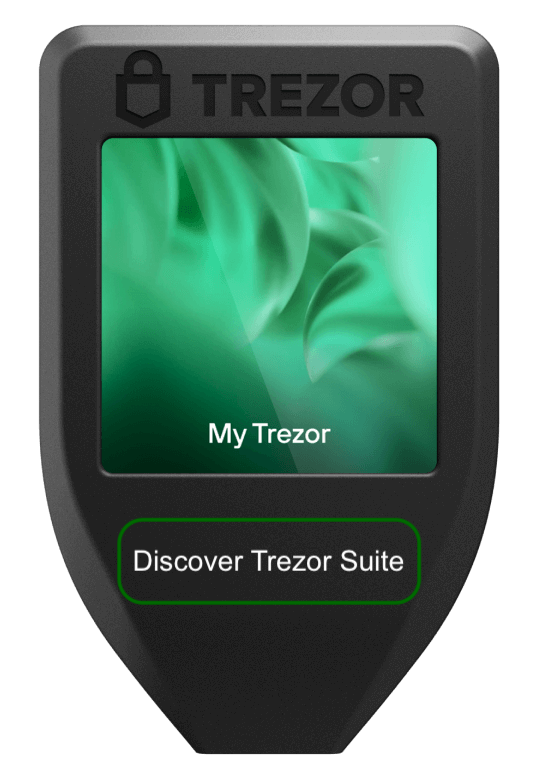
Hardware wallets like the Ledger Nano X and Trezor Model T use a dedicated secure element chip to generate and store private keys. When you initiate a transaction, the unsigned transaction data is sent to the hardware device, signed internally using the private key, and then the signed transaction — never the key itself — is broadcast to the blockchain. The private key is never exposed to your computer or the internet at any point in this process. For more insights on maximizing returns in the crypto world, check out this comparison of Forex trading vs. crypto trading.
This architecture is what makes hardware wallets so resistant to remote attacks. Even if your computer is completely compromised by malware, an attacker cannot extract the private key because it never leaves the device.
How Software Wallets Work and Why They Stay Connected
Software wallets like MetaMask, Trust Wallet, and Exodus store your private keys on the device where the application is installed — encrypted with a password. To sign a transaction, the wallet decrypts the key in the device’s memory, uses it to sign, and then re-encrypts it. During that brief decryption window, and throughout the wallet’s general operation, the private key exists on an internet-connected device. That’s the fundamental vulnerability.
The convenience factor is real — software wallets are free, instant to set up, and integrate seamlessly with DeFi protocols, NFT marketplaces, and crypto exchanges. But that seamless connectivity is also their greatest liability.
The Core Security Trade-Off Between the Two
The entire hardware wallet vs software wallet debate comes down to one trade-off: security versus accessibility. Neither side is wrong — they’re optimized for different use cases.
The Core Trade-Off
Hardware Wallet
Prioritizes keeping private keys completely isolated from networked devices — accepts extra steps for every transaction.
Software Wallet
Prioritizes frictionless access and connectivity — accepts a larger attack surface in exchange for convenience.
The Key Factor
Someone holding $500 in crypto faces a very different risk profile than someone holding $500,000. Threat model matters.
Head-to-Head Security Comparison
Breaking down specific attack vectors shows exactly where each wallet type succeeds and fails. The comparison isn’t just about “online vs. offline” — it covers a full spectrum of real-world threats that crypto holders actually face.
Remote Hacking and Malware Resistance
This is where the gap between hardware wallet vs software wallet security is widest. A remote attacker targeting a software wallet has a realistic path to stealing funds: deploy malware, wait for the user to unlock their wallet, capture the decrypted private key or intercept the transaction signing process. This attack pattern is not theoretical — it’s been executed thousands of times against MetaMask and similar wallets through browser extension exploits and keyloggers.
Hardware wallets effectively eliminate this entire attack category. Since the private key never exists on the host computer in any accessible form, remote malware has nothing to steal. An attacker can fully control your computer and still be unable to drain a hardware wallet — unless they can also physically interact with the device and know the PIN.
Remote Attack Risk Comparison
| Attack Vector | Software Wallet | Hardware Wallet |
|---|---|---|
| Remote Hack | High Risk | Extremely Low |
| Keylogger | High Risk | Very Low |
| Browser Extension Exploit | High Risk | Not Applicable |
| Clipboard Hijacking | High Risk | Mitigated (on-device screen) |
Phishing and Social Engineering Vulnerabilities
Phishing is the great equalizer — it can compromise users of both wallet types if they’re not careful. A fake MetaMask site that captures your seed phrase will drain a software wallet immediately. But a sophisticated phishing attack that tricks a hardware wallet user into entering their seed phrase on a fake recovery site achieves the same result. The seed phrase, not the device, is the ultimate key.
Where hardware wallets provide an additional layer here is in transaction verification. Devices like the Trezor Model One and Ledger Nano S Plus display transaction details — recipient address, amount, network — directly on the device screen before the user physically confirms with a button press. A phishing site that modifies transaction data on the computer screen cannot alter what’s displayed on the hardware wallet’s screen, giving users a tamper-proof confirmation step that software wallets simply cannot replicate.
Physical Theft and Tamper Protection
Physical Threat Scenarios
| Threat Scenario | Hardware Wallet | Software Wallet |
|---|---|---|
| Device physically stolen | Protected by PIN; wipes after failed attempts | Protected only by device/app password — variable strength |
| Device lost | Recoverable via seed phrase on new device | Recoverable via seed phrase or wallet backup |
| Tamper attempt | Secure element detects and resists tampering | No physical tamper protection — it’s software |
| $5 wrench attack (forced disclosure) | Some devices offer decoy PINs (e.g., Trezor passphrase) | No equivalent protection mechanism |
Hardware wallets like the Ledger Nano X use a certified secure element (CC EAL5+) that is physically hardened against tampering. Attempts to open the device or probe the chip trigger self-destruct mechanisms that wipe the stored keys. This level of physical security is simply not possible with a software wallet running on a standard smartphone or laptop.
The Trezor passphrase feature deserves special mention — it allows users to set up a hidden wallet that only activates when a specific passphrase is entered alongside the PIN. If forced to reveal a PIN under duress, a user can give up a decoy PIN that accesses a wallet with minimal funds, protecting the primary holdings. This is a real-world security feature designed for real-world threats.
Operating System and Supply Chain Attack Exposure
Software wallets inherit every vulnerability of the operating system they run on. A compromised OS — whether through an unpatched Windows exploit, a malicious macOS app, or a rooted Android device — gives attackers a direct path to the wallet application and the encrypted private keys stored within it. The wallet’s own encryption only protects against attackers who don’t already have OS-level access. Once they do, that encryption becomes far less meaningful.
Hardware wallets face a different but real risk: supply chain attacks. A device that has been tampered with before it reaches the buyer — either at the manufacturer, distributor, or shipping level — could have compromised firmware or a backdoored secure element. This is why purchasing hardware wallets exclusively from official manufacturers or authorized resellers, and verifying firmware integrity on first setup, is non-negotiable. The Ledger Nano X and Trezor Model T both include authenticity verification processes precisely to address this threat.
Where Software Wallets Fall Short
Software wallets are not inherently insecure — they’re insecure in specific, predictable ways that become critical when the stakes are high. Understanding exactly where these weaknesses live helps you make smarter decisions about when a software wallet is acceptable and when it’s genuinely dangerous.
Why an Internet Connection Is a Security Liability
Every moment a software wallet is running on a connected device, it shares that device’s attack surface with every other application, browser tab, and background process on the system. A browser-based wallet like MetaMask is particularly exposed — it operates inside a browser that simultaneously handles email, social media, and web browsing, any one of which can serve as an entry point for malware. The internet connection that makes the wallet useful is the same connection that makes it vulnerable. There is no way to have a software wallet that is both fully functional and fully isolated from online threats — that combination is architecturally impossible.
“There is no way to have a software wallet that is both fully functional and fully isolated from online threats — that combination is architecturally impossible.”
How Malware Can Silently Steal Private Keys
Modern crypto-targeting malware doesn’t announce itself. Tools like RedLine Stealer and Raccoon Stealer — both widely documented in cybersecurity research — are specifically designed to scan infected devices for wallet files, browser extension data, and saved passwords. MetaMask stores an encrypted vault file in the browser’s local storage. If malware captures this file along with the user’s password through a keylogger, decrypting the vault and extracting the private keys is straightforward. The user may not know their wallet has been compromised until their funds are gone.
Clipboard hijacking malware adds another layer of danger. This type of malicious software monitors the system clipboard and automatically replaces any copied cryptocurrency address with an attacker-controlled address. A software wallet user who copies a recipient address, pastes it into their wallet, and sends a transaction without carefully verifying the full address on-screen can unknowingly send funds directly to an attacker. Hardware wallets break this attack by displaying the actual transaction destination on the device’s own trusted screen — independent of whatever the compromised computer is showing. For those interested in further securing their crypto assets, exploring DeFi income strategies can be a valuable addition to their financial toolkit.
Where Hardware Wallets Have Weaknesses Too
In the hardware wallet vs software wallet comparison, hardware wallets are not invincible — and treating them as foolproof leads to dangerous overconfidence. The most significant weakness has nothing to do with the device itself — it’s the seed phrase. If a hardware wallet user stores their 24-word recovery phrase in a photo on their phone, a notes app, or a cloud storage service, the physical security of the hardware device becomes irrelevant. The seed phrase is an unencrypted master key, and wherever it’s stored is where the real vulnerability lives.
Beyond the seed phrase, firmware vulnerabilities are a legitimate concern. Security researchers at Kraken Security Labs have demonstrated physical extraction attacks against certain hardware wallet models under controlled conditions, though these attacks generally require physical possession of the device and significant technical resources. Outdated firmware that hasn’t been patched against known vulnerabilities is a more practical risk for everyday users. Keeping firmware updated on devices like the Trezor Model T and Ledger Nano X is a basic but frequently neglected security step.
Seed Phrases: The Security Layer Both Wallets Share
Regardless of where you land on the hardware wallet vs software wallet debate, the seed phrase — also called a recovery phrase or mnemonic phrase — is the single most critical piece of information in your entire crypto security setup. It’s the master backup that can restore full access to your funds on any compatible wallet if your device is lost, stolen, or destroyed. It’s also the single point of failure that, if compromised, bypasses every other security measure you’ve put in place.
What a Seed Phrase Is and Why It Matters
A seed phrase is typically a sequence of 12 or 24 randomly generated words — drawn from the BIP-39 wordlist of 2,048 possible words — that encodes the master private key for your entire wallet. Every private key for every cryptocurrency address in that wallet is mathematically derived from this single phrase. This means that whoever has your seed phrase has complete, irrevocable control over your funds — no password, no 2FA, no support ticket can stop them.
“Whoever has your seed phrase has complete, irrevocable control over your funds — no password, no 2FA, no support ticket can stop them.”
CoinPosters · Crypto Security Guide 2026
The seed phrase is generated once, at wallet setup, and should never be entered into any website, app, or digital form — ever. Legitimate hardware wallet manufacturers like Ledger and Trezor will never ask for your seed phrase online. Any request for it — regardless of how official it looks — is a phishing attack without exception.
How to Back Up Your Seed Phrase Without Losing Everything
The gold standard for seed phrase backup is physical, offline, and redundant. Writing the phrase on paper works as a starting point, but paper is vulnerable to fire, water damage, and physical degradation over time. Products like the Cryptosteel Capsule allow users to stamp their seed phrase into stainless steel plates that can survive extreme physical conditions. Storing copies in multiple secure physical locations — a home safe and a bank safety deposit box, for example — provides redundancy without digital exposure.
Which Wallet Is Right for You
The hardware wallet vs software wallet decision depends almost entirely on how much crypto you’re holding, how often you need to access it, and what threats are most relevant to your situation. There’s no single correct answer, but there are clear guidelines that experienced crypto holders follow consistently. For those interested in maximizing their returns, understanding the differences between forex trading and crypto trading can also be beneficial.
Best Choice for Long-Term Holders and Large Amounts
If you’re holding crypto as a long-term investment — anything from a few months to years — and the total value is significant enough that losing it would cause real financial harm, a hardware wallet is not optional. It’s the baseline. The inconvenience of connecting a physical device to sign transactions is negligible compared to the risk of a software wallet being silently compromised while your funds sit untouched for months.
The Ledger Nano X supports over 5,500 cryptocurrencies and connects via Bluetooth to mobile devices for slightly more convenient access while maintaining offline key storage. The Trezor Model T offers a touchscreen interface and open-source firmware that has been independently audited — a meaningful transparency advantage for security-conscious holders. Both devices sit in the $70–$220 range, which is an insignificant cost relative to the value of the assets they protect. For those exploring trading strategies, understanding trading psychology can be crucial in managing crypto investments effectively.
Top Hardware Wallets for Long-Term Holders — 2026
| Device | Best For | Coin Support | Price Range |
|---|---|---|---|
| Ledger Nano X | Mobile users; Bluetooth connectivity | 5,500+ | ~$149 |
| Trezor Model T | Open-source firmware; audited security | 1,000+ | ~$179 |
| Ledger Nano S Plus | Budget option; desktop-primary users | 5,500+ | ~$79 |
| Coldcard Mk4 | Bitcoin-only; maximum air-gapped security | Bitcoin only | ~$157 |
For very large holdings, some security professionals recommend an air-gapped signing setup — where the hardware wallet never connects to any computer via USB or Bluetooth, and transactions are transferred via QR code or microSD card. The Coldcard Mk4 is purpose-built for exactly this use case, and it represents the extreme end of consumer hardware wallet security.
Best Choice for Frequent Traders and Small Amounts
If you’re actively trading, using DeFi protocols, or making frequent small transactions, a software wallet is the practical choice — but with clear boundaries. Keep only what you’re actively using in a software wallet. Think of it like a physical wallet you carry in your pocket: you wouldn’t walk around with your entire life savings in cash. The same logic applies here. Load it with what you need for active use, and nothing more. For those interested in trading, you might want to explore the best crypto trading platforms available in the US.
Trust Wallet and MetaMask are the dominant options for mobile and browser-based activity respectively. MetaMask’s deep integration with Ethereum-based DeFi protocols makes it effectively unavoidable for active DeFi participants. For those interested in maximizing returns, exploring DeFi income strategies can be beneficial. Trust Wallet’s multi-chain support covers the broadest range of networks for traders moving across ecosystems. Both are acceptable for small, active holdings — neither is acceptable as a primary storage solution for significant value.
Using Both Wallets Together for Maximum Protection
The most battle-tested approach in crypto security is a two-wallet system: a hardware wallet for long-term storage and the bulk of holdings, and a software wallet for active use with limited funds. This setup gives you the security of cold storage where it matters most, and the convenience of a hot wallet where friction would otherwise lead to bad habits.
The Two-Wallet System — How Serious Holders Operate
Keep 90–95% of holdings in a hardware wallet. Maintain a software wallet funded with only what you need for active transactions. Top up the software wallet from the hardware wallet as needed.
Never let the software wallet balance grow to a point where losing it would be catastrophic. This isn’t a compromise — it’s how serious crypto holders actually operate.
The Right Wallet Comes Down to How Much Risk You Can Afford
Hardware wallets win the hardware wallet vs software wallet security comparison on almost every technical dimension — remote hacking resistance, malware protection, phishing mitigation, and physical tamper protection. But security is always a balance between protection and usability, and the right answer for a daily DeFi trader is different from the right answer for a long-term Bitcoin holder. What’s non-negotiable for everyone is this: understand your threat model, protect your seed phrase like it’s the only thing standing between you and losing everything, and never let convenience become a reason to skip security fundamentals. The crypto space is unforgiving — there are no chargebacks, no customer support lines, and no second chances once funds are gone.
Frequently Asked Questions
Here are answers to the most common questions crypto holders have when choosing between hardware and software wallets.
Can a hardware wallet be hacked remotely?
No — a hardware wallet cannot be hacked remotely under normal circumstances. Because the private key is generated and stored on an isolated secure element chip that never connects to the internet directly, there is no remote access path to the key itself. Even if the computer connected to the hardware wallet is fully compromised by malware, the attacker cannot extract the private key from the device. The only realistic remote attack vector is tricking the user into revealing their seed phrase through phishing — which is a human vulnerability, not a hardware one.
Is a software wallet safe for storing small amounts of crypto?
A software wallet is reasonably safe for small amounts of crypto, provided you follow basic security hygiene. “Small” is relative — define it as an amount you could afford to lose without significant financial impact, because that’s the realistic risk you’re accepting.
To minimize risk with a software wallet, keep your device’s operating system and the wallet application fully updated, never install software from unverified sources, use a dedicated device for crypto activity if possible, and enable all available authentication options within the wallet app.
The biggest practical risk for small-amount software wallet users isn’t sophisticated malware — it’s phishing. Fake wallet apps, fraudulent browser extensions mimicking MetaMask, and social engineering attacks targeting seed phrases are responsible for the majority of small-holder losses. Vigilance about where you download wallet software and what sites you connect your wallet to matters more than any technical security measure at this level. For further insights into the evolving landscape of digital threats, consider exploring whether social tokens and Web3 communities are finally viable in 2026.
What happens if I lose my hardware wallet?
Losing a hardware wallet does not mean losing your crypto — as long as you have your seed phrase. The device itself is just a secure interface for accessing keys that are mathematically derived from your seed phrase. Purchase a new hardware wallet, go through the device recovery process, enter your seed phrase, and full access to your funds is restored exactly as it was before.
What you should do immediately after losing a hardware wallet is assess whether the device could realistically be accessed by someone who knows your PIN. If there’s any doubt, the safest action is to use your seed phrase to restore your wallet on a new device as quickly as possible and then transfer funds to a freshly generated wallet with a new seed phrase — effectively leaving any potential attacker with nothing accessible even if they crack the old device’s PIN.
Do hardware wallets work with all cryptocurrencies?
Not all hardware wallets support all cryptocurrencies, though the major devices cover a very wide range. The Ledger Nano X supports over 5,500 coins and tokens across more than 50 blockchains, making it one of the broadest compatibility options available. The Trezor Model T supports over 1,000 cryptocurrencies. More specialized devices like the Coldcard Mk4 are Bitcoin-only by design — a deliberate security choice that simplifies the attack surface. Before purchasing any hardware wallet, verify that it explicitly supports every cryptocurrency you intend to store on it, paying particular attention to newer altcoins and tokens on less common networks.
What is the biggest security mistake crypto holders make with software wallets?
The single biggest mistake is storing the seed phrase digitally — in a screenshot, a notes app, a cloud document, an email draft, or anywhere that exists on a networked device. This mistake completely negates every security feature the wallet itself provides.
- ⚠Taking a screenshot of your seed phrase during setup — screenshots sync to cloud services automatically on most phones
- ⚠Typing your seed phrase into any website or app, even one that appears to be your wallet provider
- ⚠Storing seed phrase photos or documents in Google Drive, iCloud, Dropbox, or any cloud storage service
- ⚠Sharing your seed phrase with anyone claiming to be technical support — no legitimate wallet company will ever ask for it
- ⚠Using the same device for crypto activity and general browsing without any separation between the two
The second most common mistake is failing to verify wallet software authenticity before installation. Fake MetaMask extensions have repeatedly appeared in browser extension stores and fraudulent app store listings, often sitting undetected long enough to compromise thousands of users. Always download wallet software exclusively from the official project website, verify the developer name in the app store listing, and check community sources like the project’s official social media or GitHub before installing anything.
Ignoring software updates is another critical error. Wallet developers push security patches in response to discovered vulnerabilities — running an outdated version of Trust Wallet, Exodus, or any other software wallet means voluntarily accepting known, publicly documented security flaws. Enable automatic updates or check manually on a regular schedule.
Finally, connecting a software wallet to unaudited or suspicious DeFi protocols is a direct path to losing funds. Malicious smart contracts can request unlimited token approvals — meaning they can drain your entire wallet balance of a specific token at any time after you’ve approved a transaction. Regularly auditing and revoking unnecessary token approvals using tools like Revoke.cash is a basic but widely neglected security practice for active DeFi users.
Disclaimer
This article is for informational purposes only and does not constitute financial, legal, or security advice. Do Your Own Research (DYOR) before selecting a crypto wallet or making any decisions regarding the storage of digital assets. Wallet security features, firmware versions, and product specifications are subject to change. Always verify current information directly with manufacturers. CoinPosters is not responsible for any loss of funds or any actions taken based on the information provided in this article.
CoinPosters
Your guide to navigating crypto in 2026 and beyond.